Enabling Self-Service options for date changes, cancellations, and questionnaire updates gives your customers more flexibility and control over their own reservations—while dramatically reducing the workload on your staff. When Self-Service is active for an experience, guests who receive confirmation or reminder emails will see a “Manage this Purchase” button, which guides them to a personalized Self-Service page specifically for their booking.
Here, guests can independently reschedule their trip, cancel the reservation (as permitted by your policies), and provide or update any questionnaire responses required for participation—all without having to call or email your team. This streamlined approach ensures critical guest information is collected well before the activity date and helps you stay fully prepared for each group’s needs.
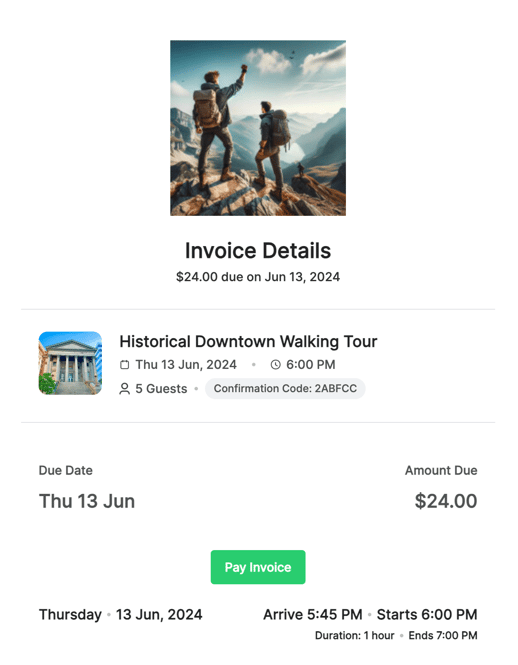
For experiences that use Xola’s Invoice feature, Self-Service can also empower customers to make secure payments on outstanding balances, further speeding up the process and improving cash flow, while giving your guests a seamless and professional reservation experience from start to finish.
User Access: Administrator or Curator roles have access to set this up Self Service in Xola.
To grant access to users, click here.
What's covered in this article:
- Enable Self-Service
- Self-Service: Date Changes
- Self-Service: Cancellations
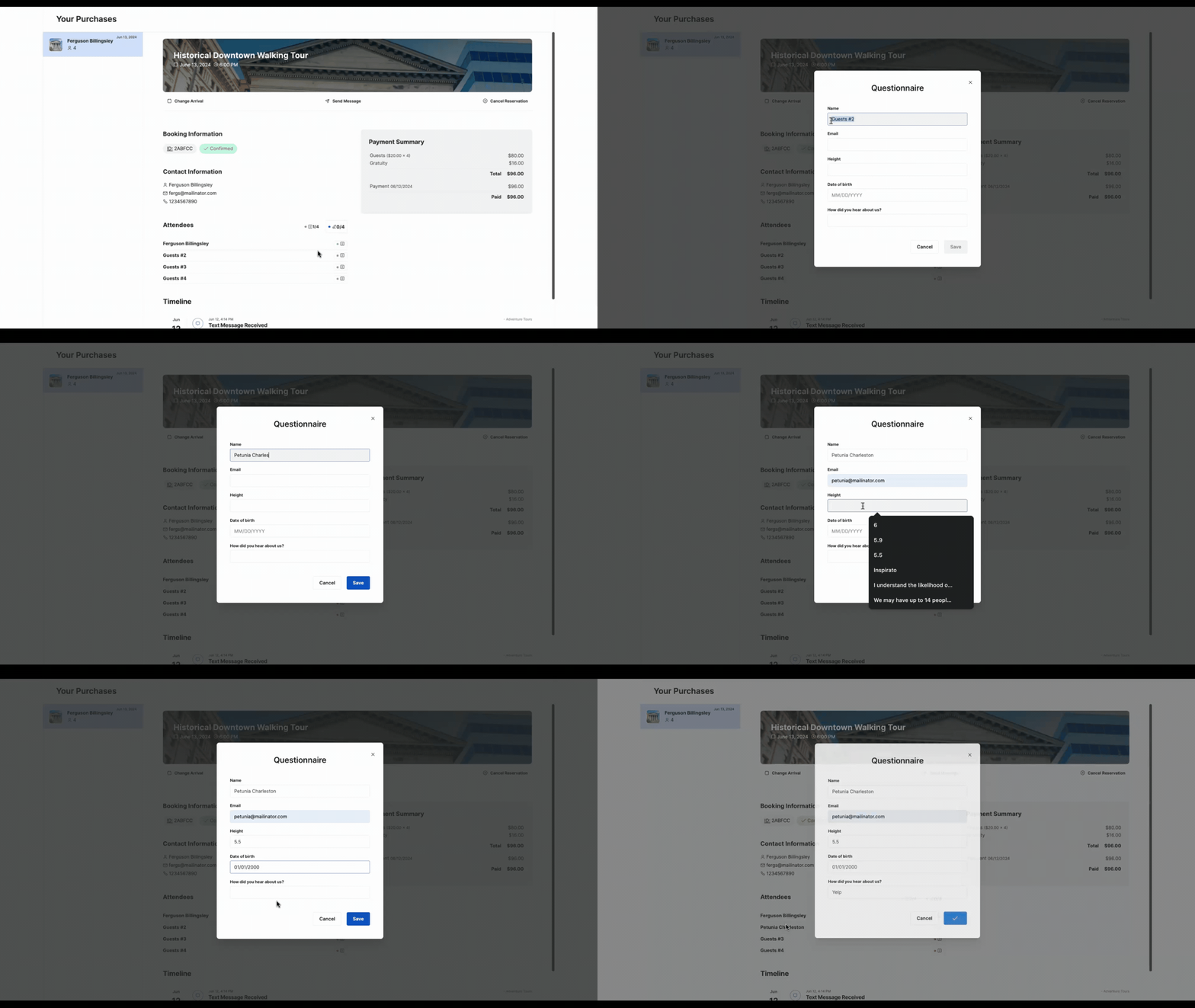
- Self-Service: Questionnaire Changes
- Self Service: Allow customers to make payment
Enable Self-Service
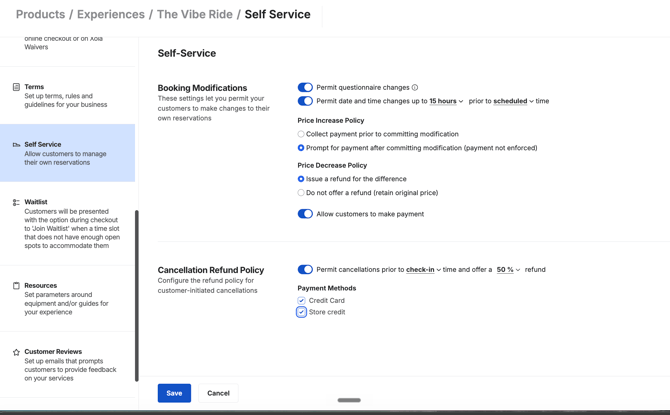
- Navigate to Products > Experiences and click Edit on the experience for which you'd like to turn on Self-Service.
- Click on the Self-Service tab on the left-hand menu.
- Questionnaire Changes: Allows customers to make questionnaire changes, if you are using the questionairre feature.
- Date and Time change: Allows customers to change the date and time of their reservation. You’ll be prompted to set how many days before the original trip a customer is allowed to make this change.
-
- Price Increase Policy: Here you can choose whether the customer must pay any price difference for the new date or time before or after the change is applied in Xola.
- Price Decrease Policy: Here you can choose whether to refund the customer any price difference or keep the original amount paid, even if the new date or time is cheaper.
- Customers allowed to make payments: This lets you send invoices to customers and allows them to pay those invoices online.
- Cancellation Refund Policy: Allows customers to cancel their reservation. You’ll be prompted to set how many days before the original trip a customer is allowed to make this change.
-
-
- For cancellation refunds, you can choose between Credit Card or Store Credit.
-
- Click Save.
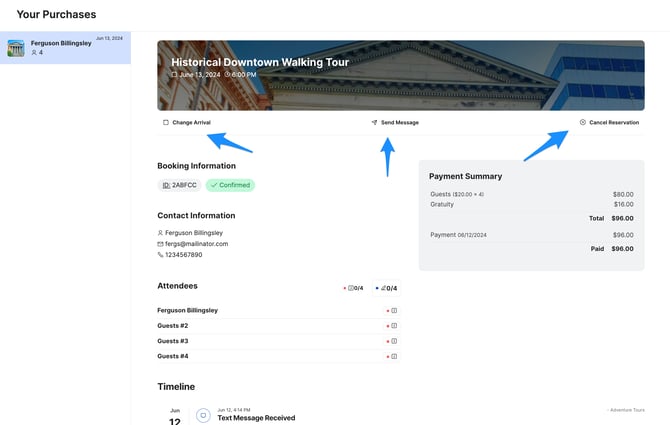
Now let's take a look at what it looks like for your customer to use the Self-Service feature:
Self-Service: Date Changes
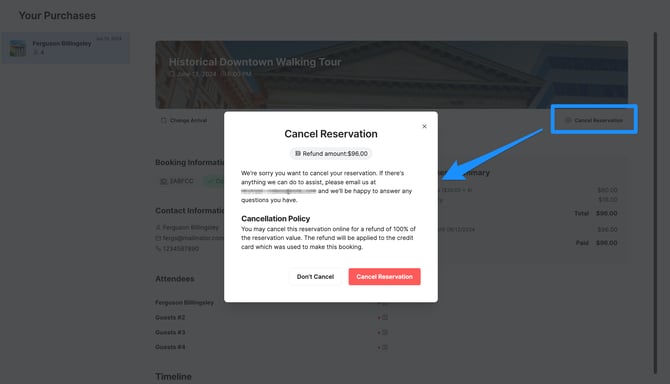
Self-Service: Cancellations
Self-Service: Questionnaire Changes
Self Service: Allow customers to make payment
This toggle allows your customers to pay for their invoices via a link in an email sent to them.